Setting up XC=BASIC in Visual Studio Code (macOS)
Once again I find myself having to write a blog post, as a memory aid, for the installation and setup of XC=BASIC on macOS. I hope this is the last time and I don't delete this one!
First of all a quick intro on XC=BASIC if you don't know what it is.
XC=BASIC is a cross compiled, modern BASIC programming language for 8-bit Commodore computers. I use this specifically for the Commodore 64 but it can be used for any of the Commodore family, PET, VIC, 16 etc. It compiles BASIC source code to fast machine code. Although not 100% compatible, its syntax was designed to be similar to that of QuickBASIC and CBM BASIC.
There are definitely some syntax quirks which I'll cover in coming posts. This post, however, is simply about getting your environment ready for XC=BASIC and Visual Studio Code running an a MacBook Pro. There are releases for Windows and Linux too, and I am guessing setup would be very similar on those systems.

Installation
First of all go to https://github.com/neilsf/XC-BASIC3/releases and download the current release for your OS (3.2.1 at time of writing), and unpack the entire directory into a location on your computer. I chose a simple /development folder under my home directory where I put all language related stuff.
Leave the expanded directory exactly like it is and add the location of the executable (in the bin directory) to your local path. For example:
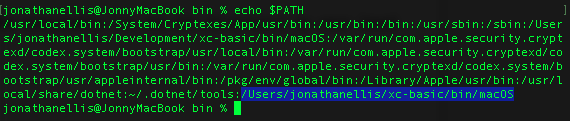
Apple don't like stuff that doesn't come from their App Store, of course, so in order to take the executable out of quarantine and be allowed to run it, open the terminal and run the command xattr -d com.apple.quarantine /path/to/xcbasic3 and that should do the trick.
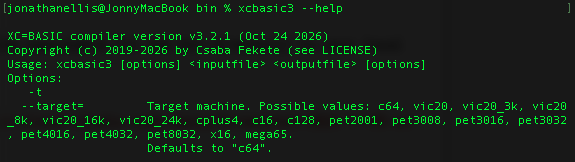
Keep the terminal open and, if your path is correct and the executable is now allowed to run, typing xcbasic3 --help should bring something back.
DASM
In order to compile the .bas files to .prg files we also need to install and configure DASM, which is an 8-bit macro assembler. This can be downloaded directly from https://dasm-assembler.github.io
Unpack the tar file, make sure the location is referenced in the PATH environment variable (I keep mine in a folder called DASM one directory up from xcbasic - or simply put it in the same bin folder as xcbasic3). You may also need to de-quarantine and make it executable using chmod.
So now we should have the following:
- Installed XC=BASIC directory
- Executable binary for xcbasic3
- PATH edited for xcbasic3
- Executable binary for DASM
- PATH edited for xcbasic3
OK, now we need to set up the environment in Visual Studio Code.
Visual Studio Code
First off the easy bit, we need to add the parent folder of xcbasic to the VSC explorer and save the workspace to a folder under the xcbasic directory (or wherever you want it). Once we have the workspace sorted, the last part of the config is to create a task to compile the .bas files directly from VSC.
Next search for and install/enable the XCBASIC extension for VSC, which just provides us with syntax highlighting and formatting. The one I have is the current version which is 8 years old! Seems to do the job though.
There should be a .vscode folder in your workspace now, if not create one. Under that we need to create a tasks.json file like this one.
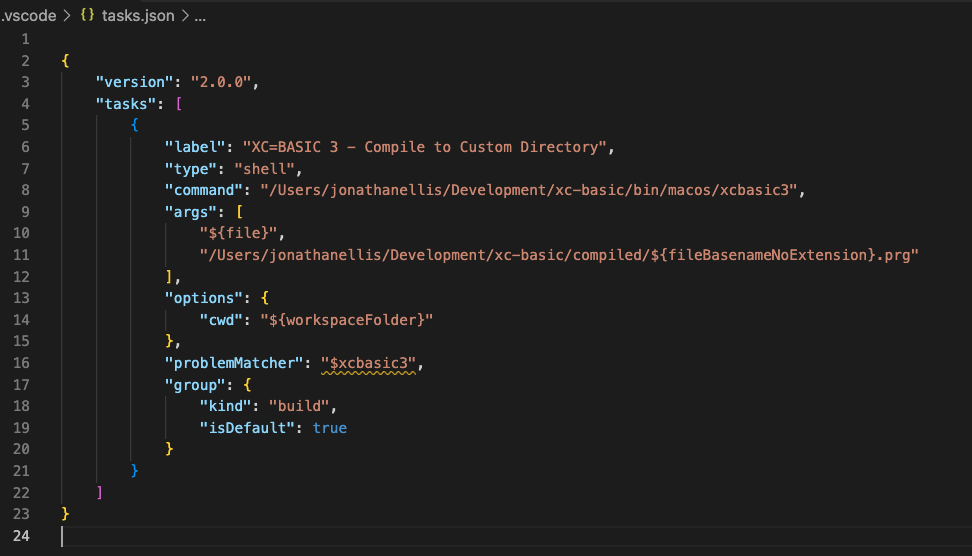
Hopefully that is fairly easy to understand - the only things that need changing are the paths to the executable and the output location.
Compile
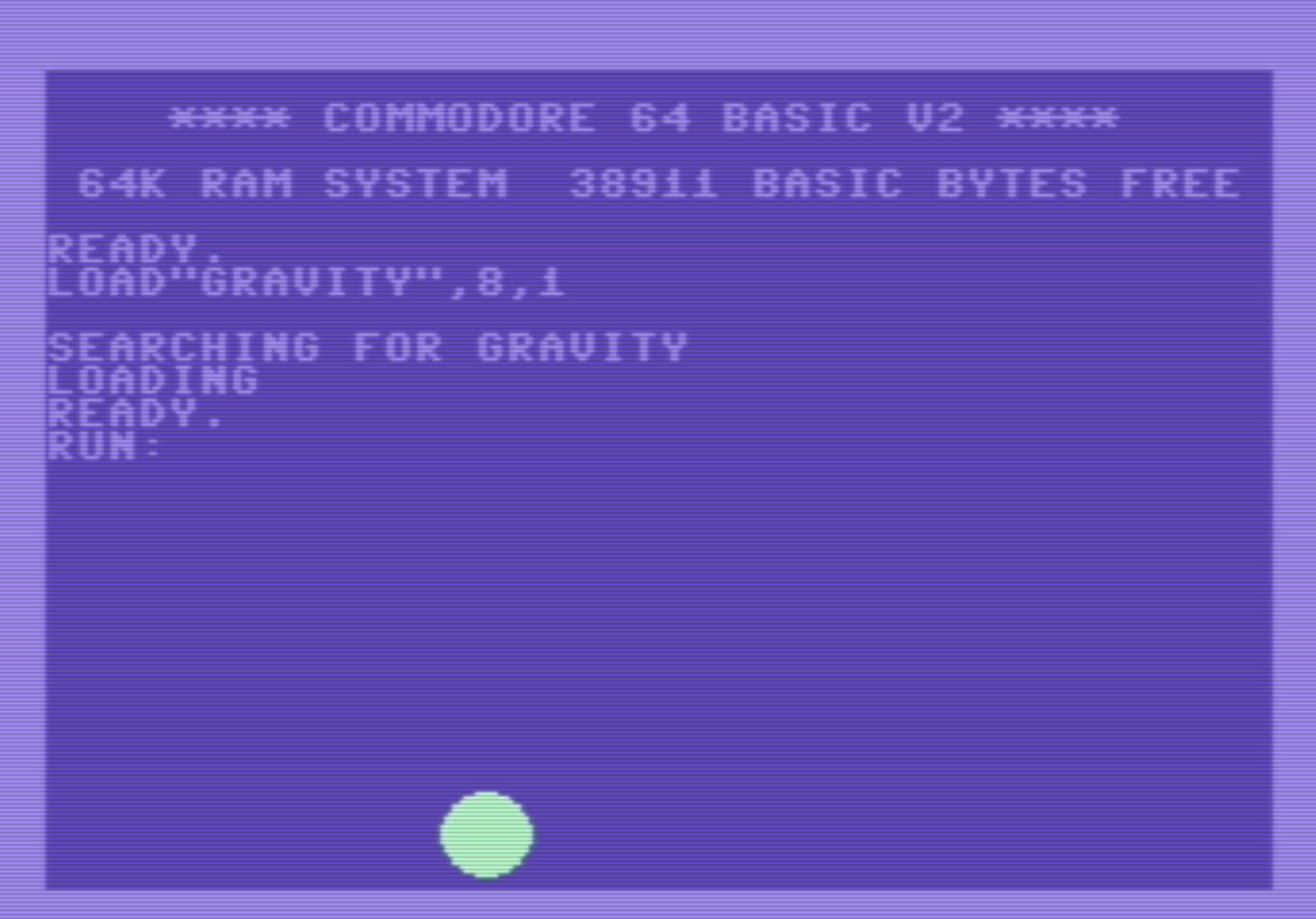
With XC=BASIC comes several examples to play with. I'm going to now use the example file gravity.bas (in the examples folder) and open it in the editor. Then it is just a matter of running the task we just created and saved by pressing Command-Shift-B.
If all is well (remember, both xcbasic3 and dasm must be locatable and executable) you should see something like the following output in the VSC terminal.
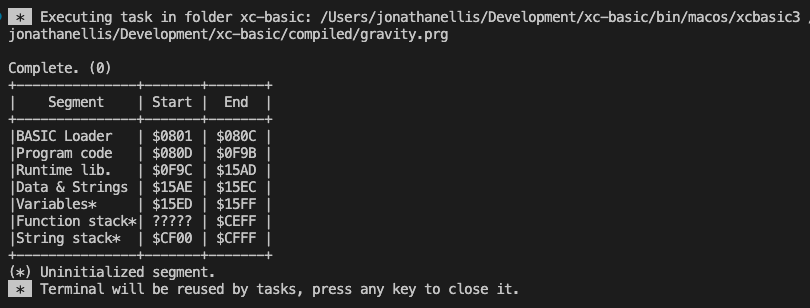
You should then end up with a .prg file in your default location which can be opened in VICE or a real C64!
Version Control
One word of warning, the way I have set it up means that your .prg files WILL get overwritten without renaming them. I manually manage this, I am sure there is probably a better way in tasks.json but this works for me.
Have fun!